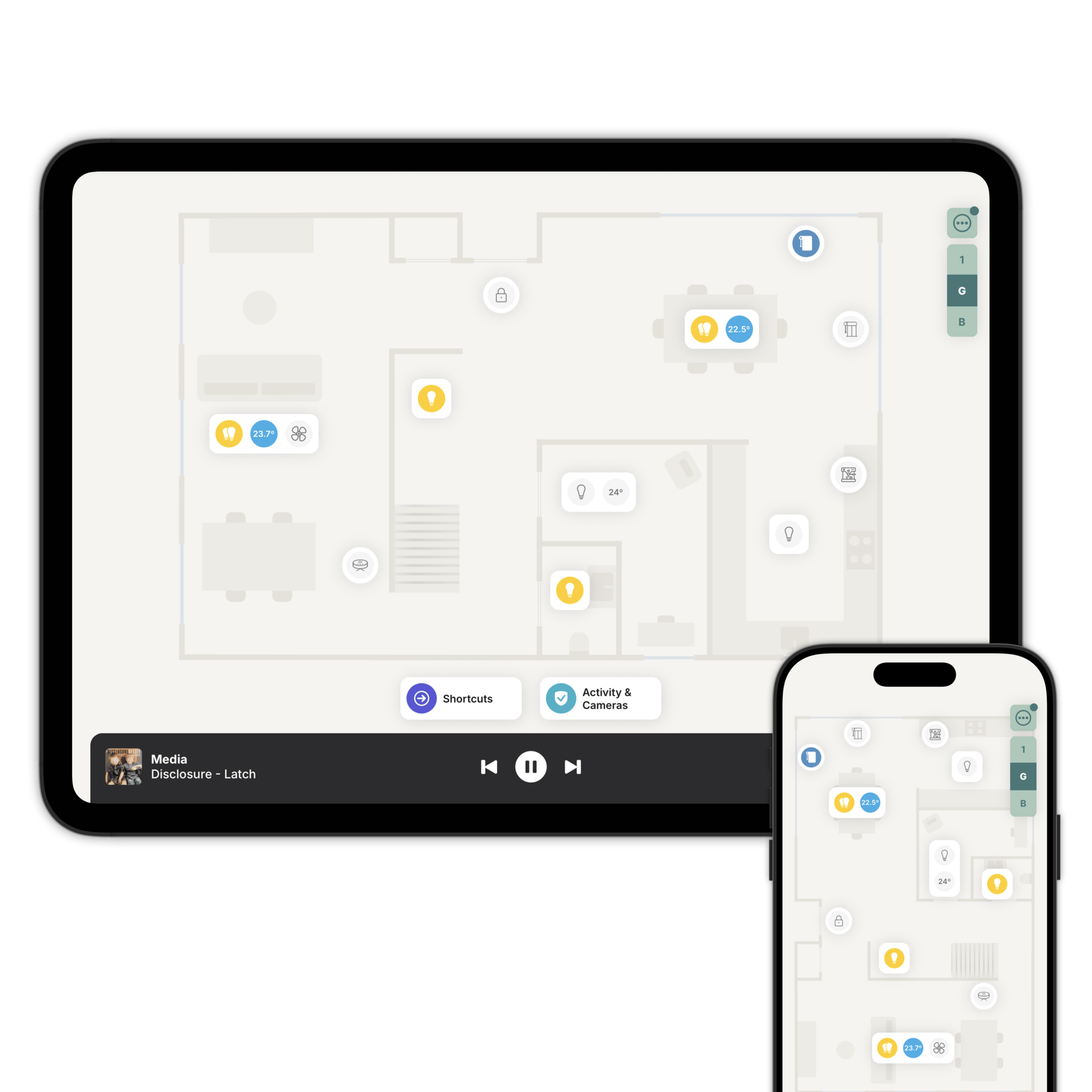
See your whole home, exactly where everything is
Scan or draw your floorplan, add your accessories where they really are, and control them from there.
Get your first floorplan in minutes.
Two ways in. On an iPhone Pro or iPad Pro, scan your rooms and your floorplan is ready in seconds. On any other device, draw it in the designer or upload a plan you already have and let AI draw it for you.
Then link each Zendo room to the matching room or area in Home Assistant or Homey. Zendo places your accessories for you, and you can move any of them to where they really are.
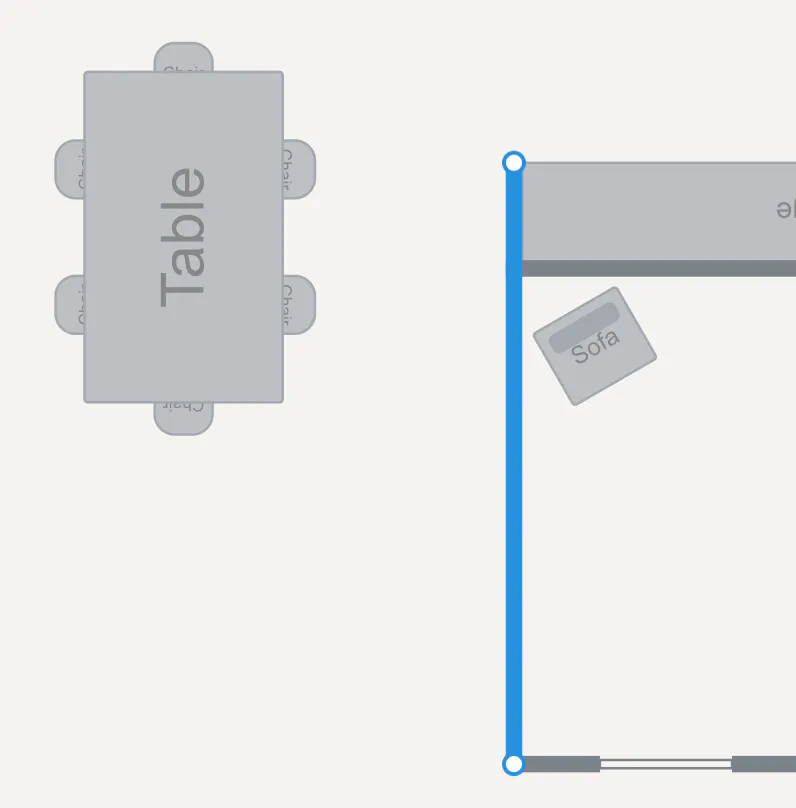
Move a wall. Add a room. Change it whenever.
Homes change. The floorplan designer lets you reshape rooms, adjust walls, add doors and windows, and drop in furniture, all in one place.
Nothing is locked in. You can redesign a floor whenever you want, or start again from scratch and keep the version you prefer.
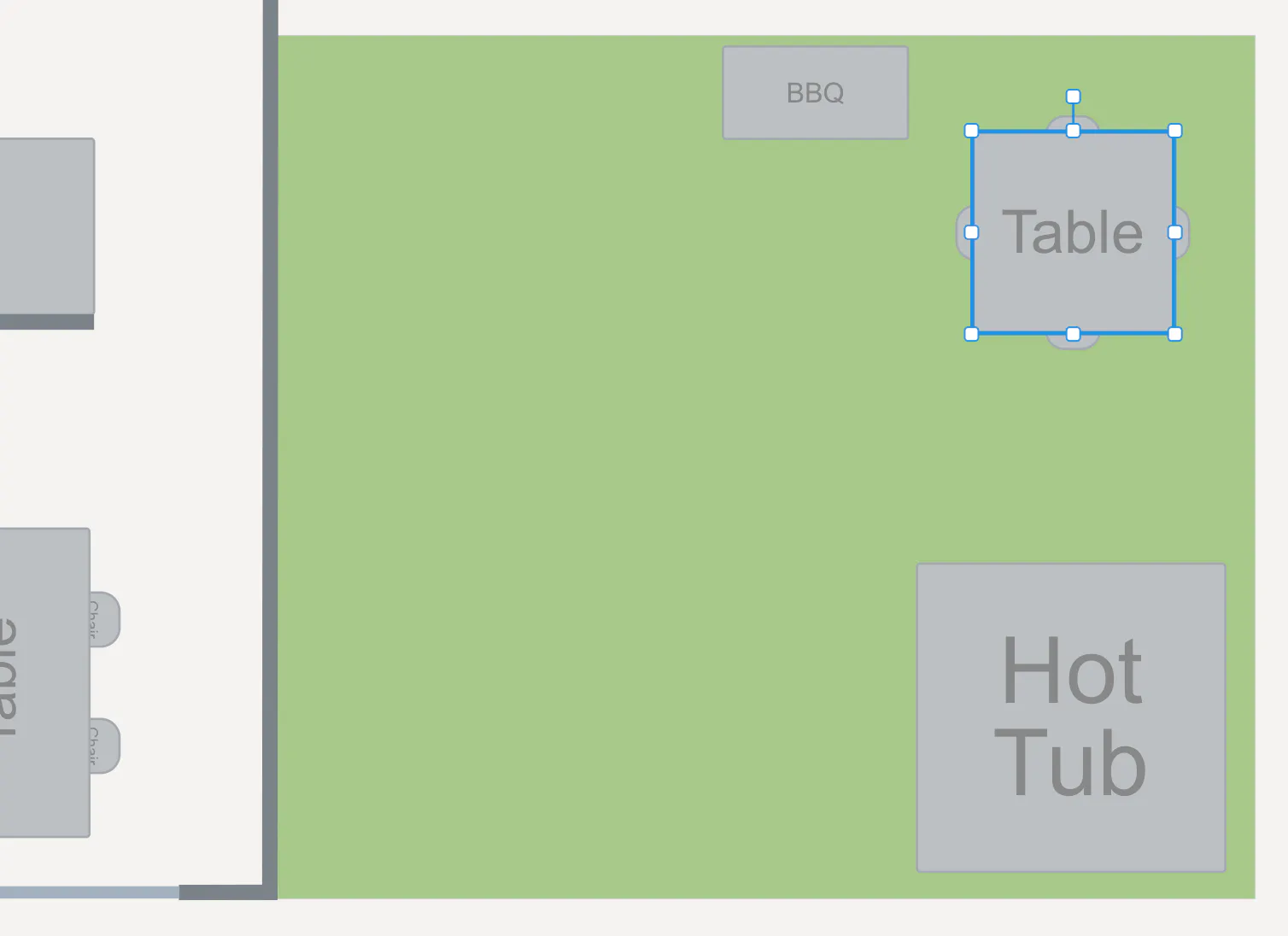
The garden is part of the house.
Draw gardens, patios, balconies, terraces, driveways and pools on the same floorplan, on any floor. Pick grass, paving, gravel, decking or water for the ground.
Add outdoor furniture, and draw sheds, pool houses and detached garages just as you would a room. Then add your outdoor lights and gates.
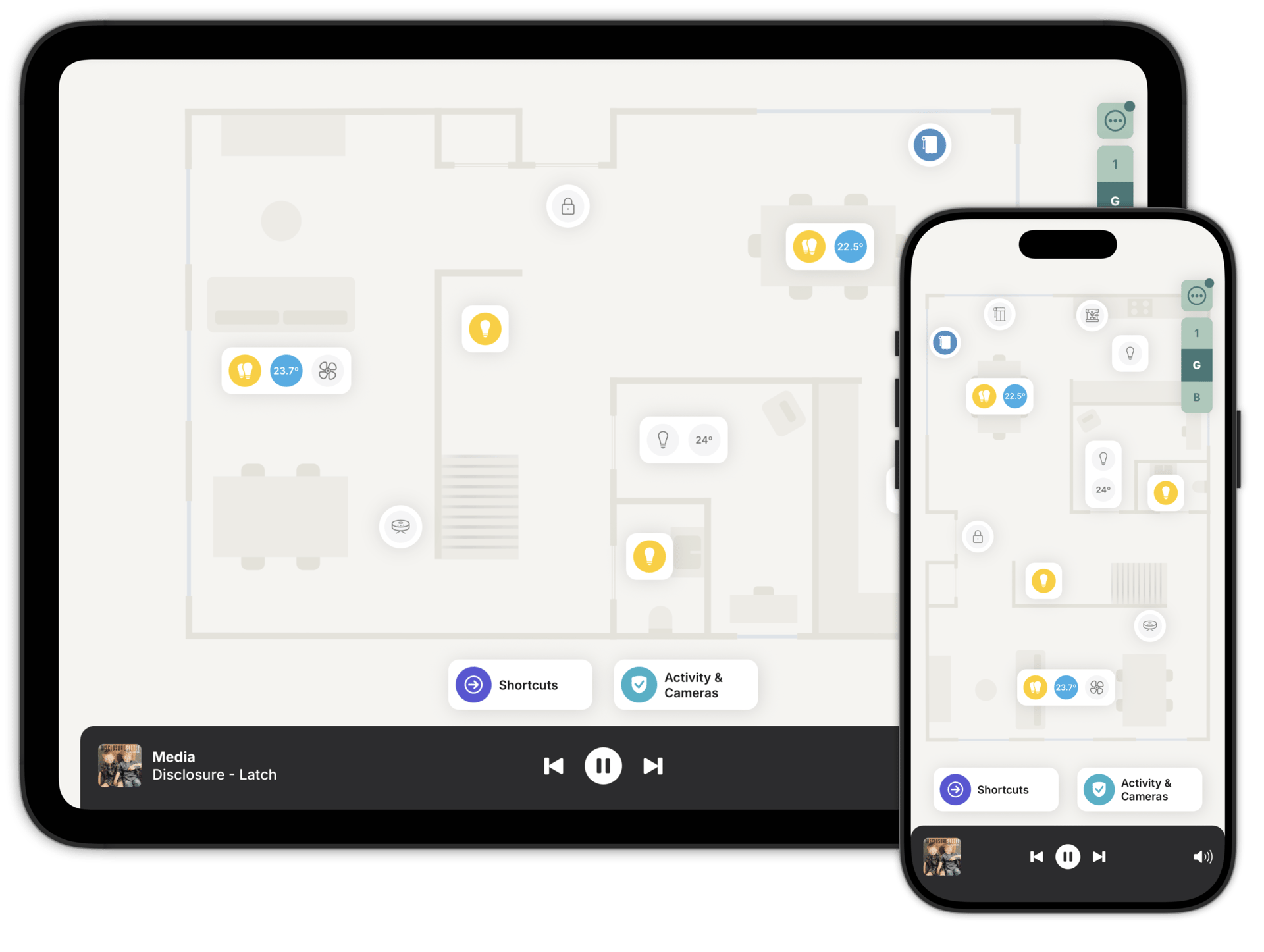
Phone in your pocket, tablet on the wall.
The same floorplan works on both. On a small screen, Zendo can hide the lights a room accessory already covers, so the floorplan stays readable. Zoom in and they're all there.
You choose what stays visible. Bedside lights can be pinned, so they're always one tap away.
Three steps to a floorplan you'll love.
Most people get their main rooms working in few minutes. You don't have to finish it in one go.
Scan with an iPhone Pro or iPad Pro, or draw your floorplan in the designer.
Match each room on the floorplan to the room or area in Home Assistant or Homey.
Zendo adds them for you. Drag anything to where it sits in the room.
Questions people ask first
You can, and people do. What's hard to build yourself is the rest of it: a scanned floorplan, every accessory placed where it really is, and a different view for each person in the house. That's the part Zendo is.
No. Your system already talks to your devices. Zendo reads your accessories and adds them to the floorplan.
Walls, doors and windows, from the image you upload. Furniture and outdoor areas are yours to add in the designer, and you can move anything that isn't quite right. It's available while you're adding a floor.
Up to four, with as many rooms as you like on each.
Redesign it whenever you want. Or scan again if you'd like to start fresh.
Start with one floor
Download Zendo and scan or draw your first floorplan. 14 day trial, no account needed to look around.