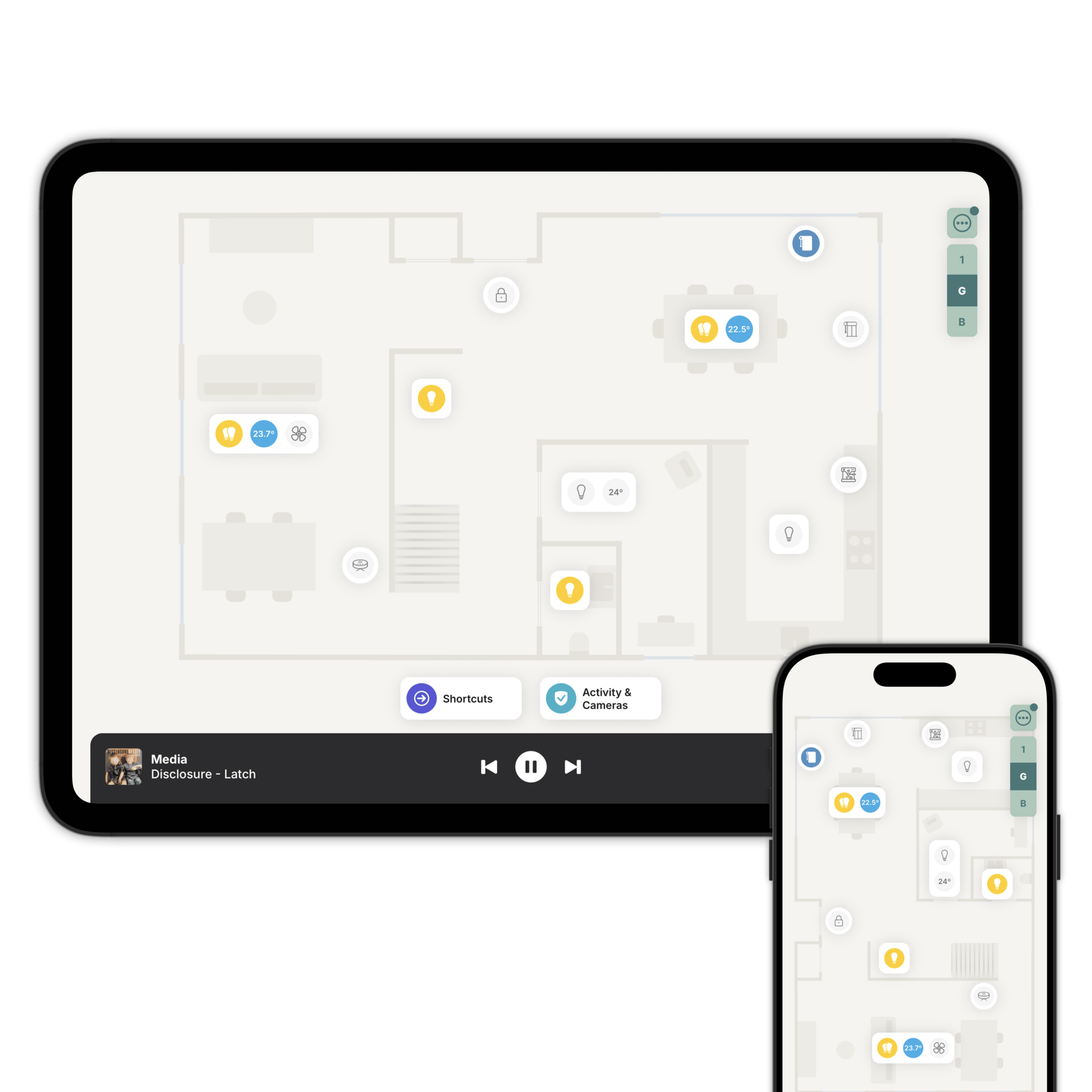
See what's happening, wherever you are.
Cameras, locks, sensors and everything that's just happened, in one view, on the floorplan you already know.
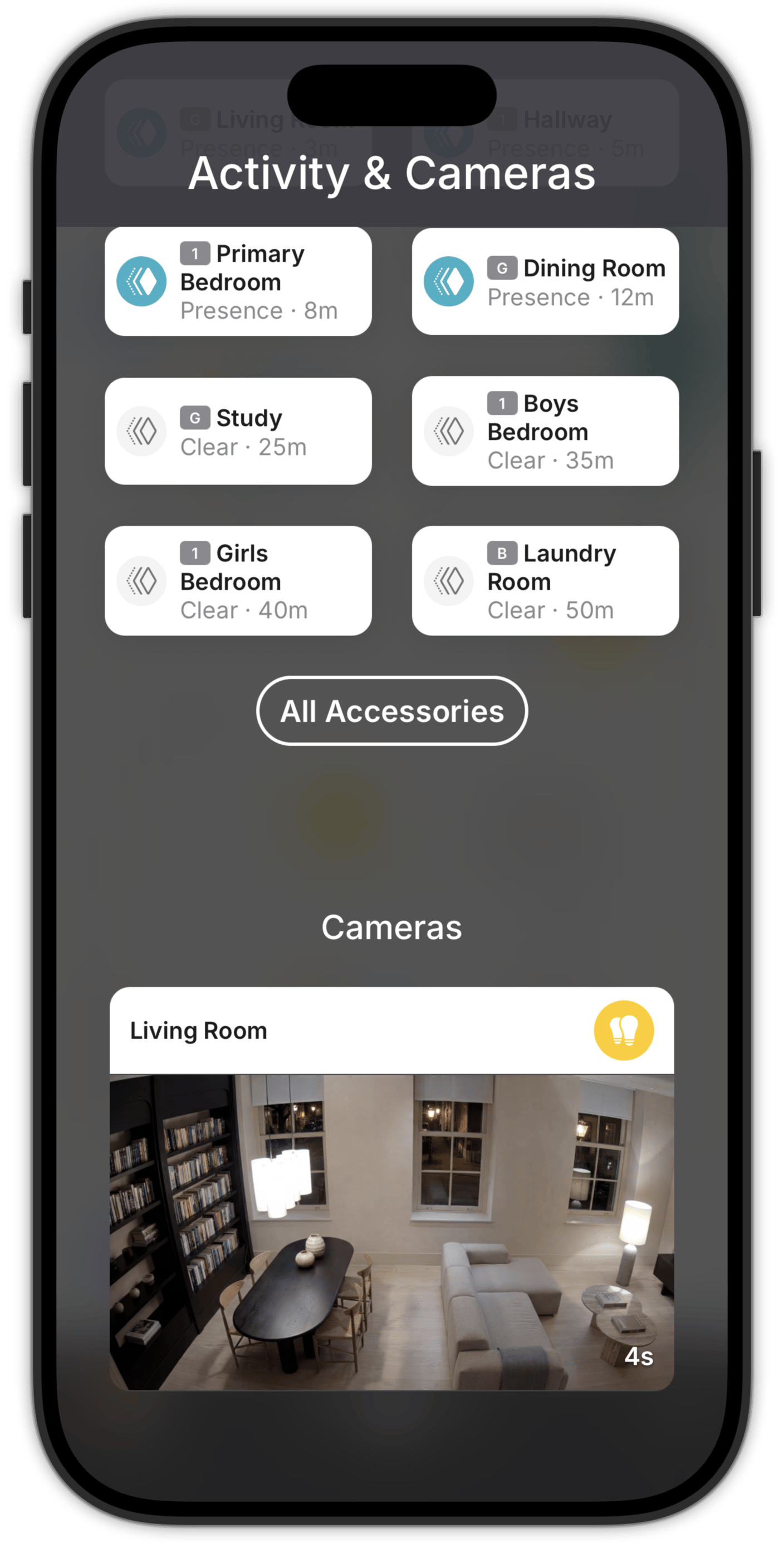
What just happened, and where.
Two hours of activity across every room, grouped by floor. It loads the moment you open it.
Presence sensors, door and window sensors, locks, gates and garage doors all turn up here on their own. There's nothing to configure.
Tap a room for the live status of everything in it, and a timeline of what's happened.
Every camera on one screen.
A snapshot of each camera, refreshed while you watch. Tap any camera to watch it live.
Tap again to switch on the lights in that room, without leaving the stream. It's the quickest way to make a dark camera worth looking at.
Doorbells work the same way with two extras. Talk to whoever's there, and unlock the door from the same screen if there's a smart lock in that room.
Doors, garages and gates, locked from the sofa.
They sit on the floorplan where they actually are. One tap away.
Locks show whether the door is open or closed as well as locked or unlocked, and pull the latch where the lock supports it.
Every open, close, lock and unlock lands in the activity feed, so you can see when the door was last used.
The sensors you hope you never need.
Smoke, CO, gas and water leak sensors appear on the floorplan and in the activity feed. When something happens, the Activity & Cameras button turns red, no matter the floor you're on. You know which room. Immediately.
Set up a critical push notification and it will reach you through mute and Do Not Disturb.
Zendo is not a life safety system. Readings can be delayed or missing. Keep your dedicated alarms and a second way of being alerted.
Not everyone needs to see everything.
Hide individual cameras, or the whole activity feed, from the people you choose. Hide an accessory on the floorplan and it disappears from the activity feed too. Find out more about Family Sharing.
If someone can see neither the cameras nor the feed, the button isn't there for them at all.
A noise at 3am.
Open Zendo. See which sensor was triggered, in which room, and what's moved since.
Questions people ask first
No. Zendo shows you what your sensors and cameras already see, in one place. Pair with Critical Notifications and you can get an alert when the alarm is triggered.
On supported platforms, as long as a secure connection can be established to your system.
No. That view is for monitoring. Locking, opening and closing happen on the floorplan, next to the door itself.
Yes. Cameras are set one by one, so some can stay private while the rest are shared.
Check the whole house in one look
Download Zendo and add your cameras, locks and sensors to the floorplan. 14 day trial.