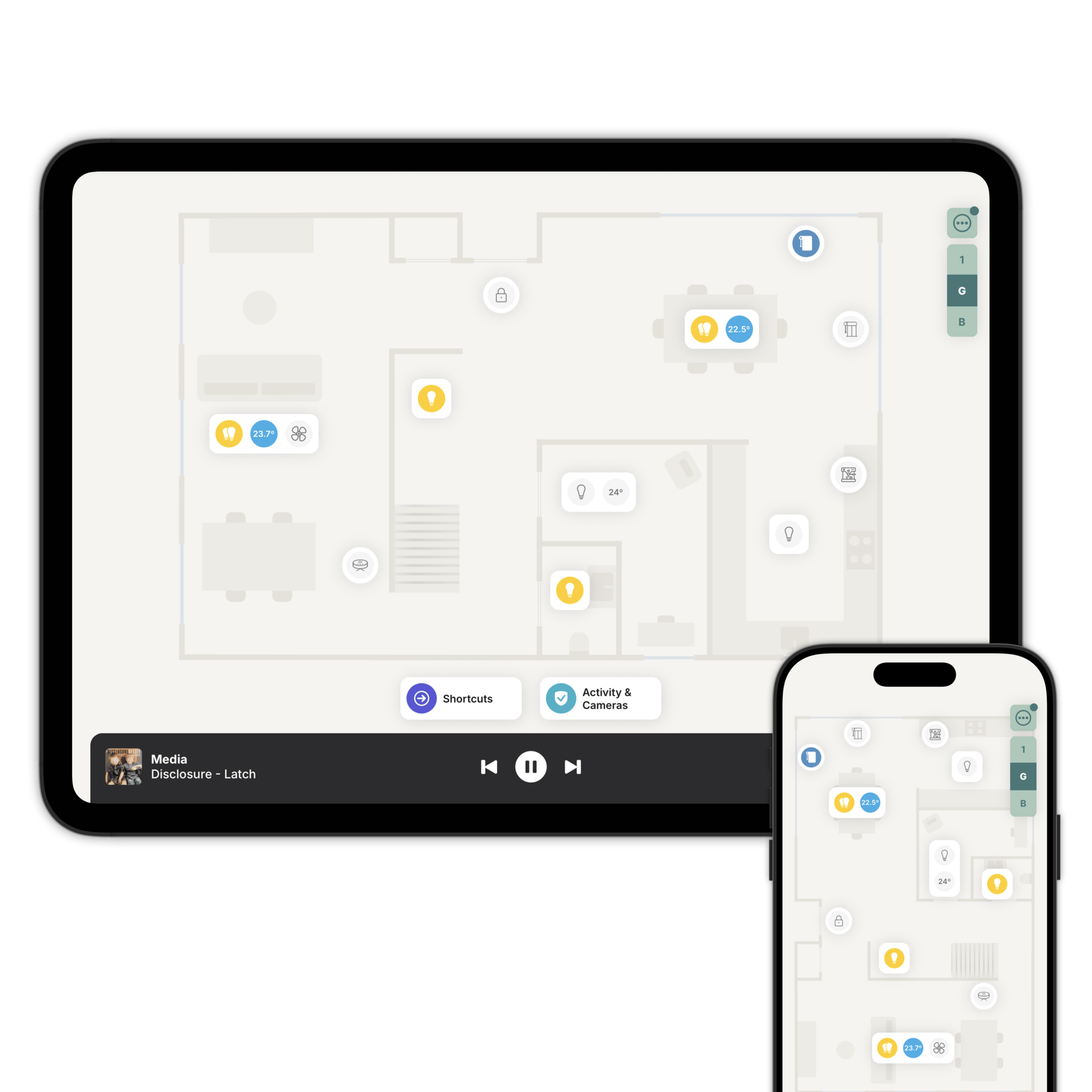
Your KNX installation, on a floorplan
Home Assistant or Homey bridges the bus. Zendo turns it into something everyone in the building can use.

Your bus keeps running.
Zendo doesn't speak KNX directly. Home Assistant or Homey bridges the bus, and Zendo reads what it exposes.
Nothing about your installation changes. The ETS project, the group addresses and the actuators all stay exactly where they are.
We are looking at connecting to KNX directly. It isn't shipping and has no date, so today the route is through Home Assistant or Homey. The roadmap has the current status.
How KNX connects to Zendo
Through the bridge you already run. The ETS project doesn't change.
That's the only connection Zendo makes. Everything works through it.
Add each one to the floorplan, in the room it's actually in.
Lights, blinds, heating, sensors.
KNX devices land on the floorplan as what they are: lights and dimmers, blinds and shutters, heating and cooling, on/off actuators, ventilation, presence detectors, door and window contacts, and safety sensors.
Buildings, not just houses.
KNX turns up in offices, hotels and larger properties, which is where a floorplan earns its keep. A visual layout of the building beats a list of a thousand devices.
Add shortcuts on the floorplan for the things that happen every day. Open Up brings on the lights in the common areas, powers up signage and displays, sets HVAC to comfort and disarms the alarm. Close Down does the reverse at night.
Device Sharing decides who sees what, so a visitor gets the meeting room and not the plant room.
See the building as a floorplan
Download Zendo and connect it to Home Assistant or Homey. 14 day trial.