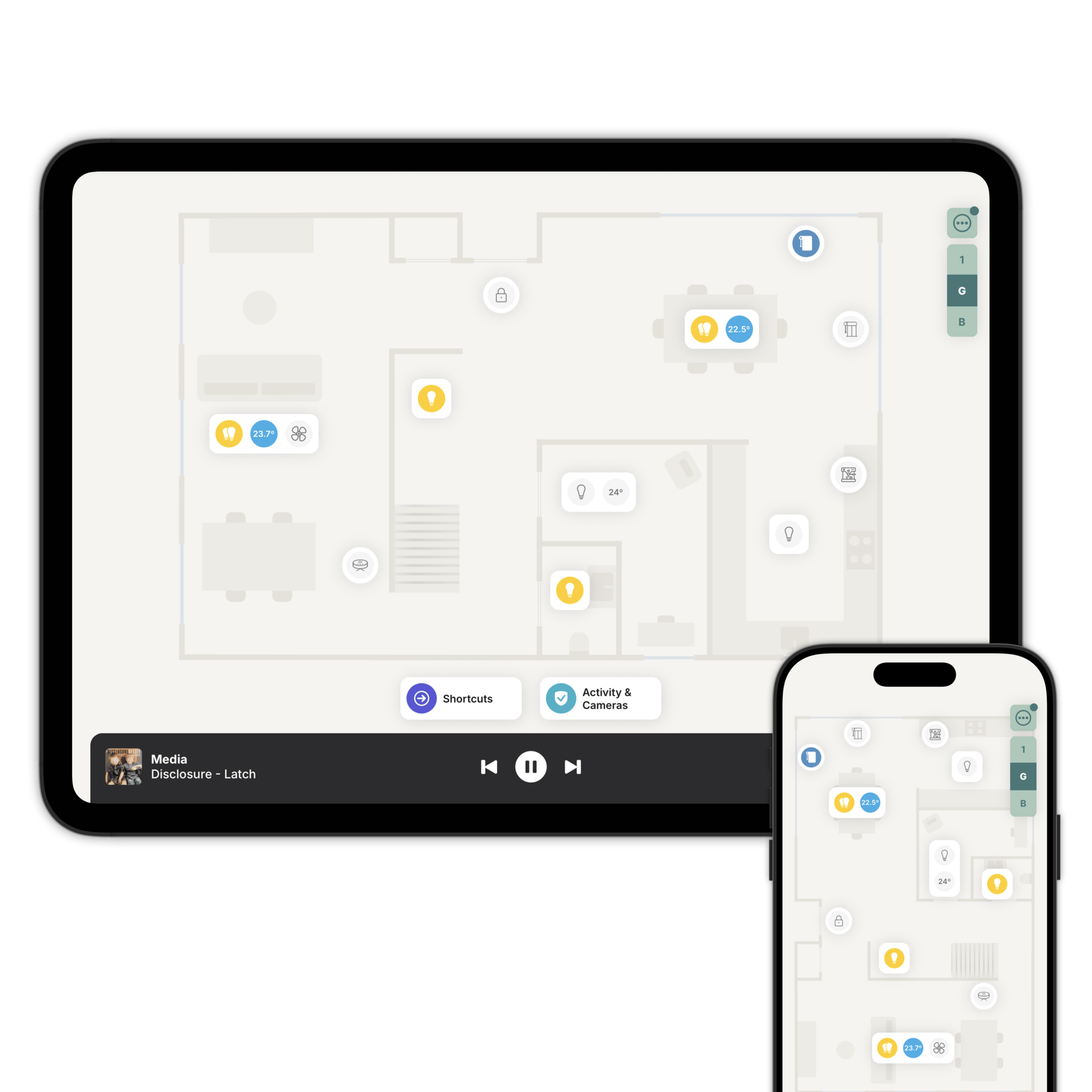
Your Matter devices, where they actually are
Home Assistant or Homey commissions them. Zendo shows them on a floorplan of your home.

Your system commissions. Zendo shows.
Zendo doesn't commission Matter devices and doesn't join your fabric. Home Assistant or Homey does that, and Zendo reads what it exposes.
Add a Matter device the way you always have. It turns up in Zendo as the accessory type it is, ready to place in the room it's in.
How Matter connects to Zendo
Commissioned however you already add them. Zendo doesn't join your fabric.
That's the only connection Zendo makes. Everything works through it.
Add each one to the floorplan, in the room it's actually in.
Nearly everything, where it is.
Matter devices land as lights, thermostats and aircon, blinds and curtains, plugs and relays, fans, robot vacuums, smart locks, presence sensors, door and window sensors, and smoke, CO, gas and water leak sensors.
Which is the long way of saying: if your system can see it, Zendo can show it.
Matter in Zendo.
At Zendo we love Matter. Zendo speaks Matter internally, as part of how the app is built rather than as something you set up. That's an architecture detail for future proofing. Your system is still the thing that pairs devices.
Add them on the floorplan
Download Zendo and connect it to Home Assistant or Homey. 14 day trial.